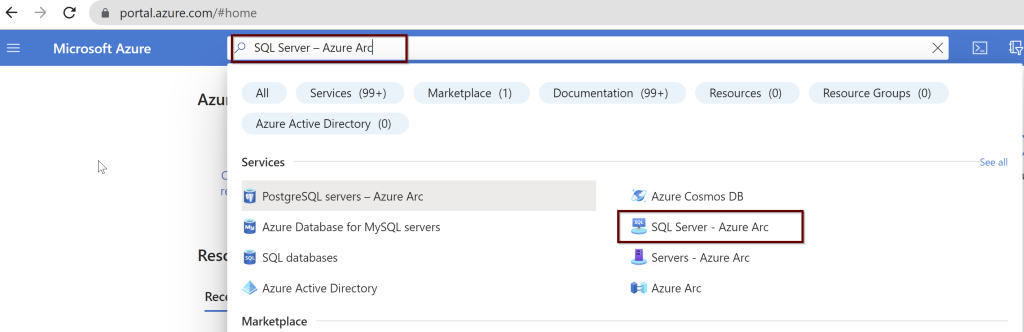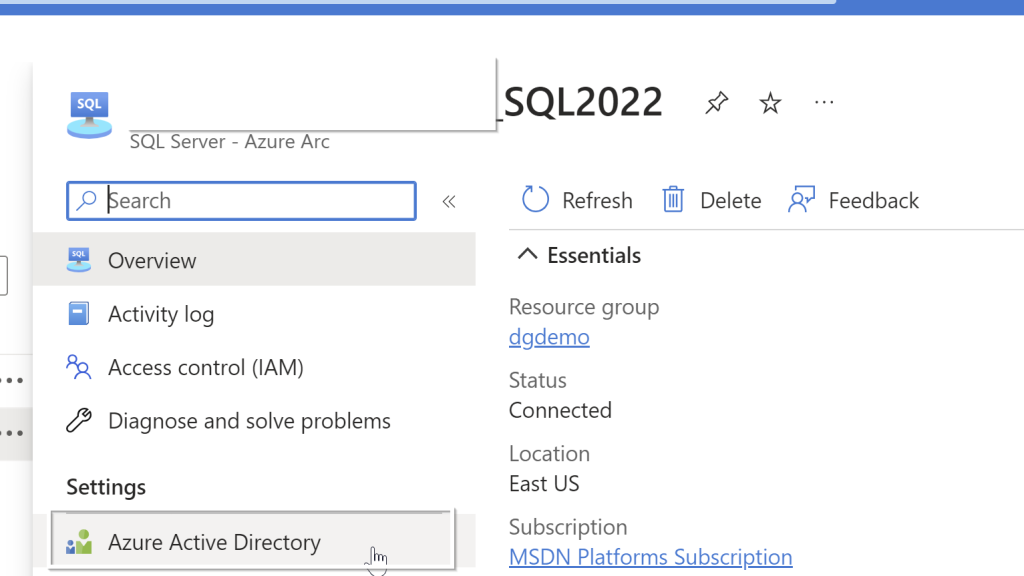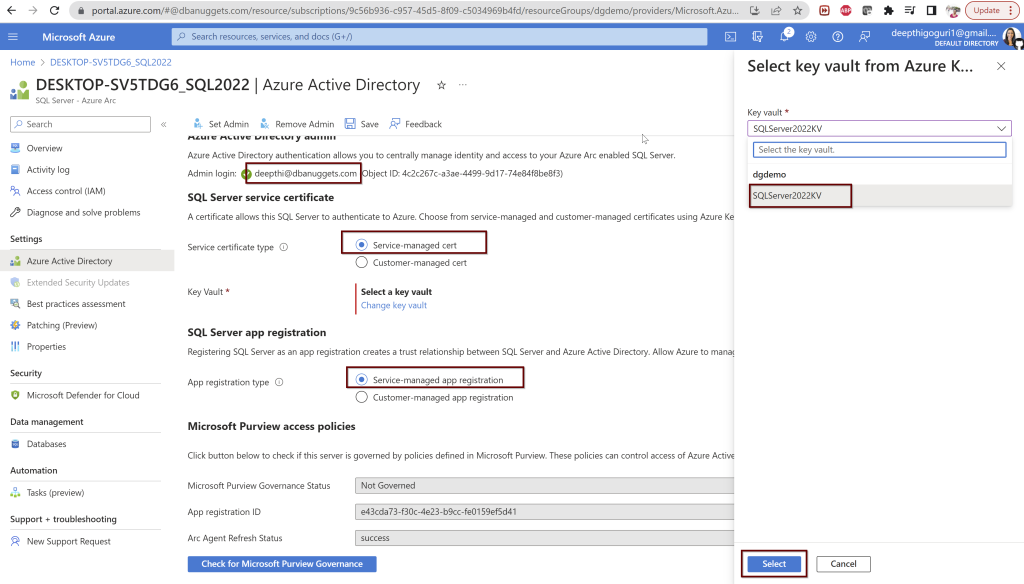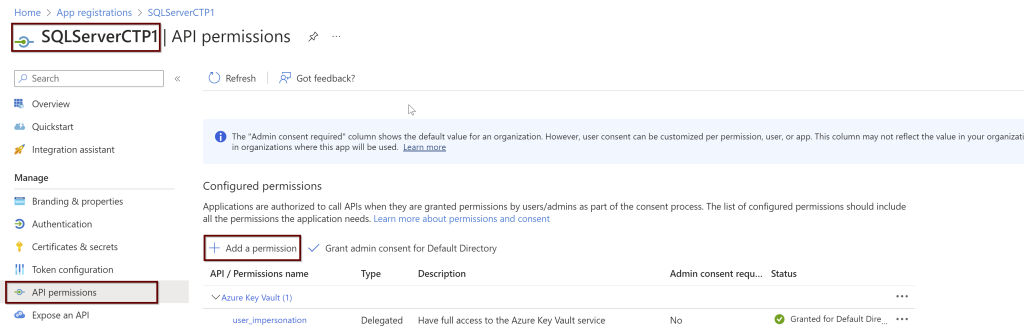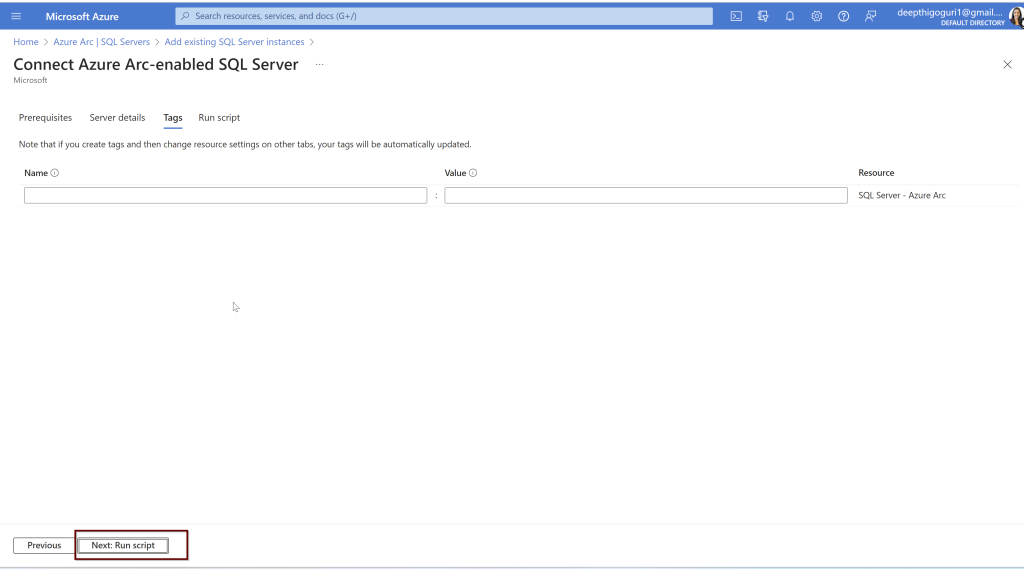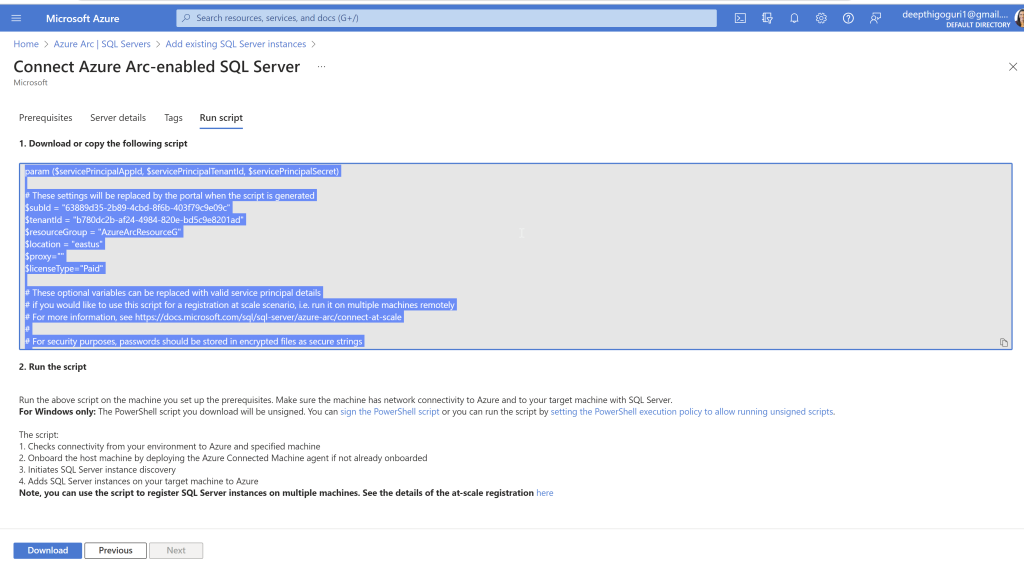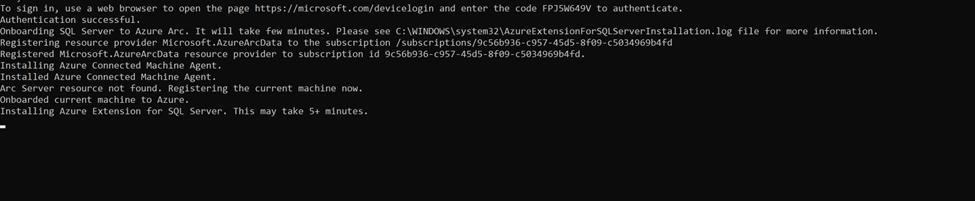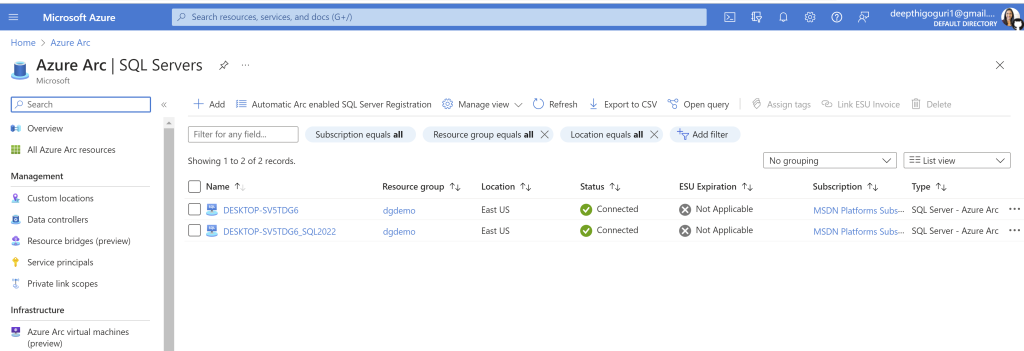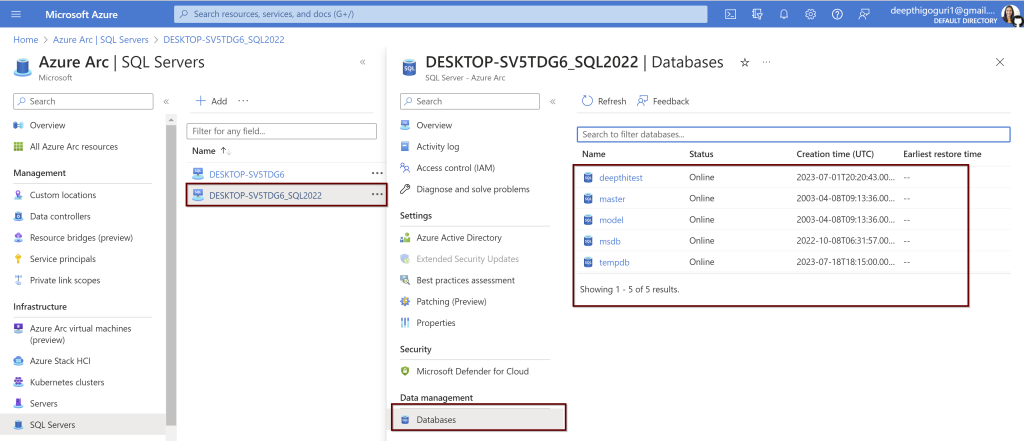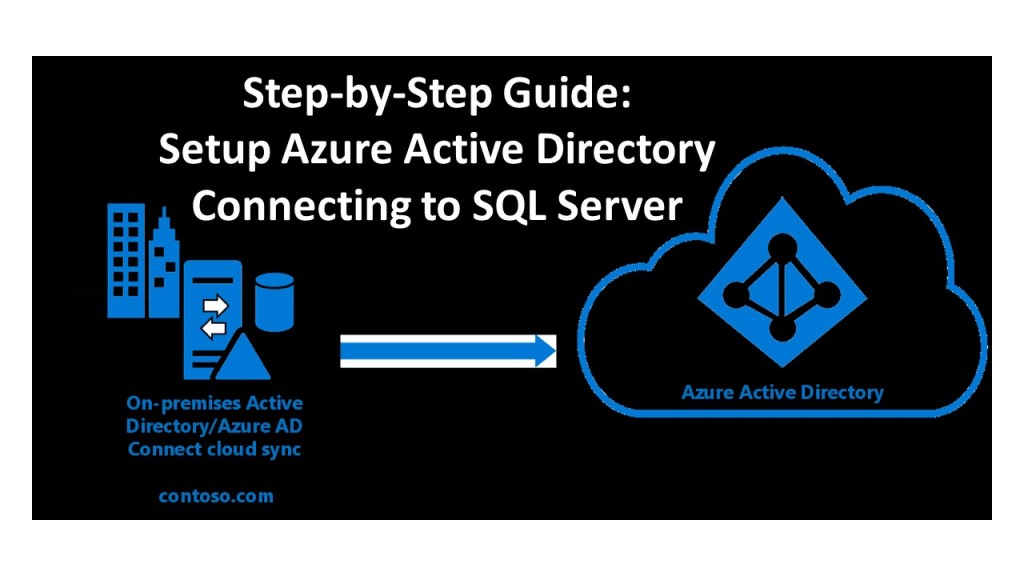
SQL Server 2022: What is Azure Arc Enabled SQL Server?

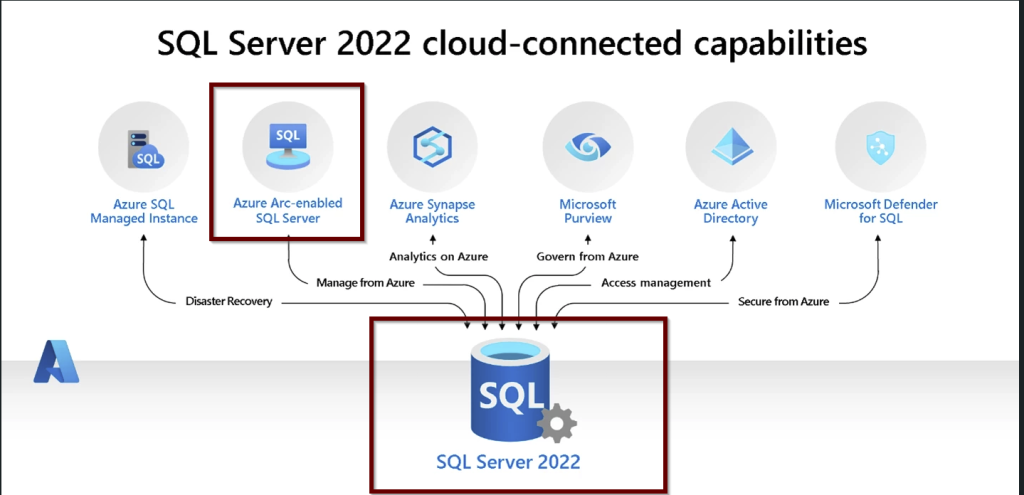
Azure Arc will offer the capabilities to manage your On-prem SQL Server instances, other Servers, and applications that are running outside of Azure. It is like a central location where you can see your resources and manage them from Azure. This is very useful when you want to know the inventory details of both your on-prem Servers and Azure resources if you are in using hybrid ways, i.e. having resources from different cloud providers or having resources outside Azure including On-prem SQL Servers.

Inventory includes the basic details of your Servers like the hostname of the machine where your Server is hosted, the name of the instance, version, edition, and amount of resources like CPU and memory allocated to the Servers. As you will be in Azure, take advantage of the Azure Resource Graph Explorer to get these details. You can create customized dashboards and create charts.

Reference: The diagram as shown on the Microsoft website demonstrates what the SQL Server inventory looks like using the Azure Graph Resource Explorer.

You can also get the best practices assessment after enabling the Azure Arc-enabled SQL Servers. This assessment will analyze the SQL Server configurations comparing the best practices based on Azure standards and provide recommendations.

Cost Savings

You can save money by using Microsoft Defender for Cloud after enabling Azure Arc-enabled SQL Server. Microsoft Defender for Cloud feature will do the Vulnerability assessment and threat protection. More on this topic, I have written a blog post here.

If you would like to use the Azure Purview feature, it becomes easier to use as the Azure Arc-enabled SQL server will come with access policies that will be helpful to connect to SQL Servers with ease.

The architecture of Azure Arc-Enabled SQL Server

Some important points to remember:

There are three important agents that are needed to enable the Azure Arc-enabled SQL Server.

  1. Azure Connected Machine Agent – This agent will help manage the Windows and Linux machines hosting outside of Azure.
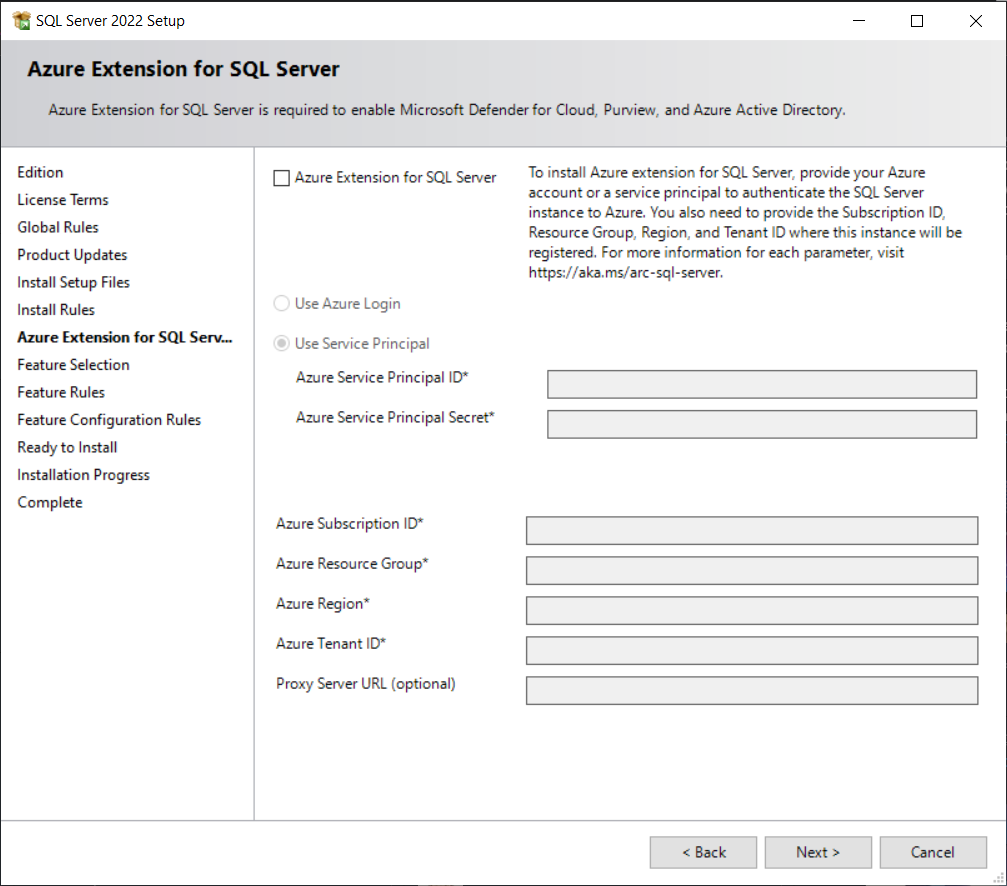
  2. Azure Extension for SQL Server
  3. Azure Monitoring Agent – The Microsoft Defender for cloud and best practices assessment needs this agent. This extension is needed to put the collected data in the log analytics workspace.

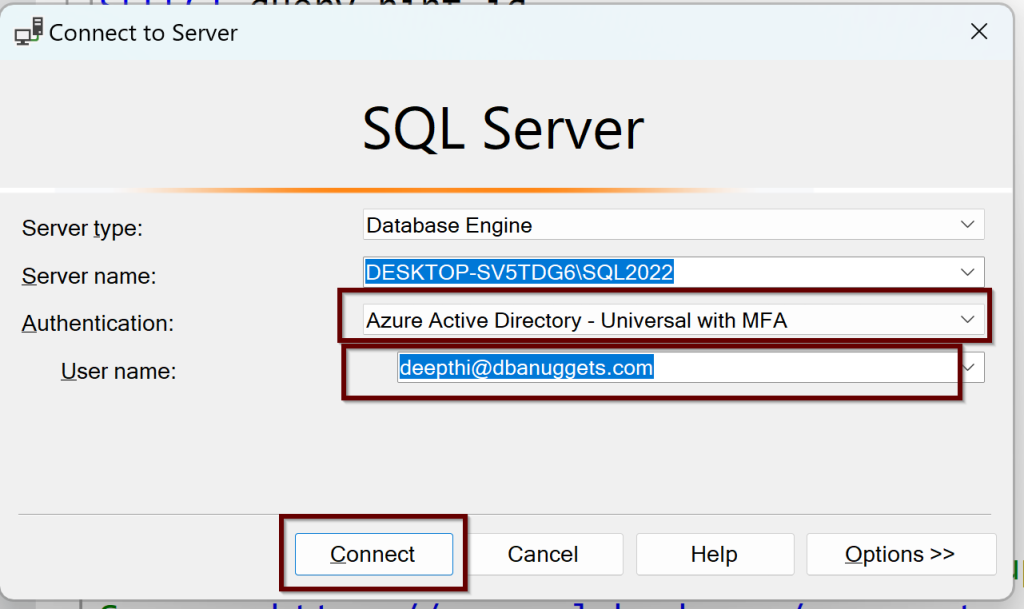
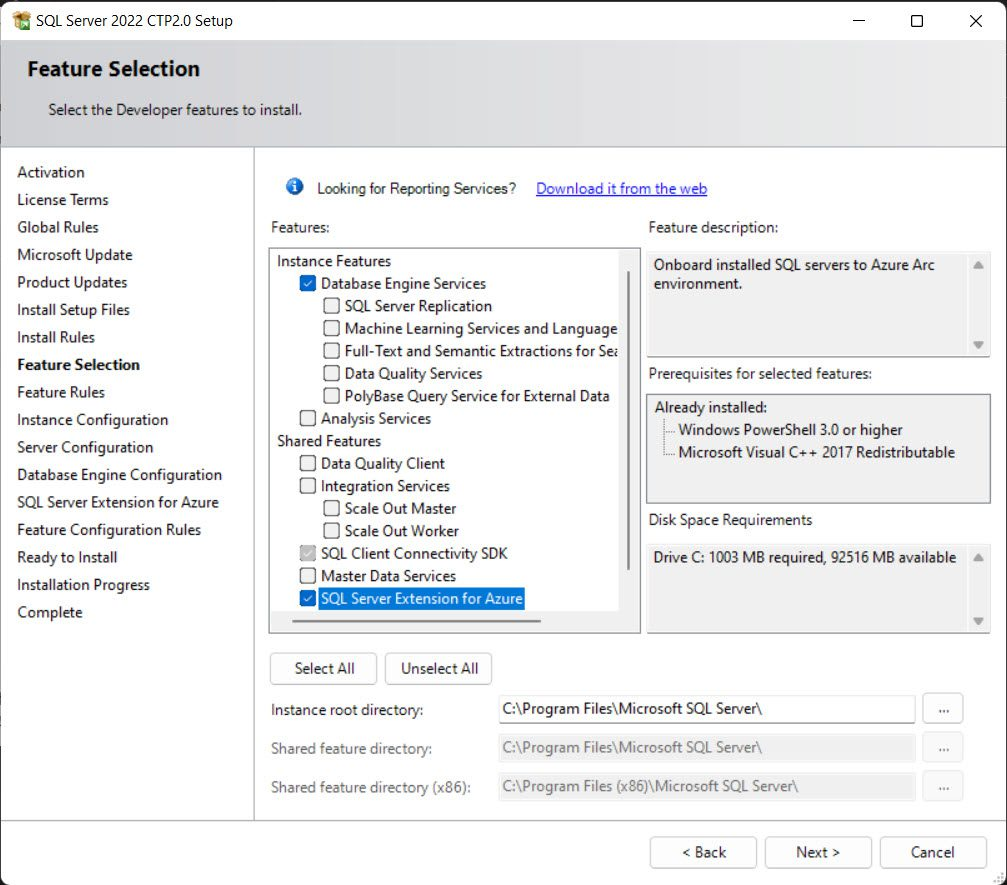
If you are installing the SQL Server 2022, use the Azure extension for SQL Server to connect to Azure. You will find this feature in the feature selection pane during the installation.

But even if you have this easy button to select and connect to Azure from SQL Server 2022, you can still install the Azure Arc-enabled SQL Server. You can install Azure extension for SQL Server from SQL Server 2012 and up.

Prerequisite Steps:

To enable the Azure Arc-enabled SQL Server, you need to have an account in Azure with a subscription that is active. You need to verify Arc-connected machine agent network requirements. The Arc agent needs to be running in Full mode. You will also need to connect to Azure Arc data processing service by opening up the outbound rules on each of the servers (virtual or physical) (Source) to URL: san-af-<region>-prod.azurewebsites.net and to port 443.

Also, you need to register for the resource providers –

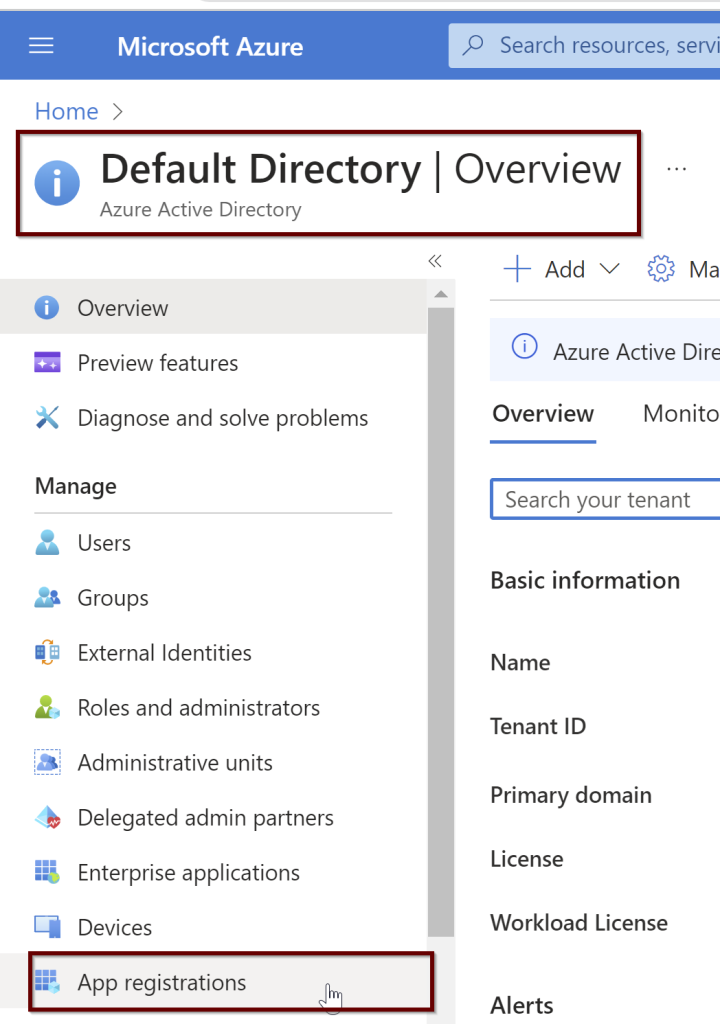
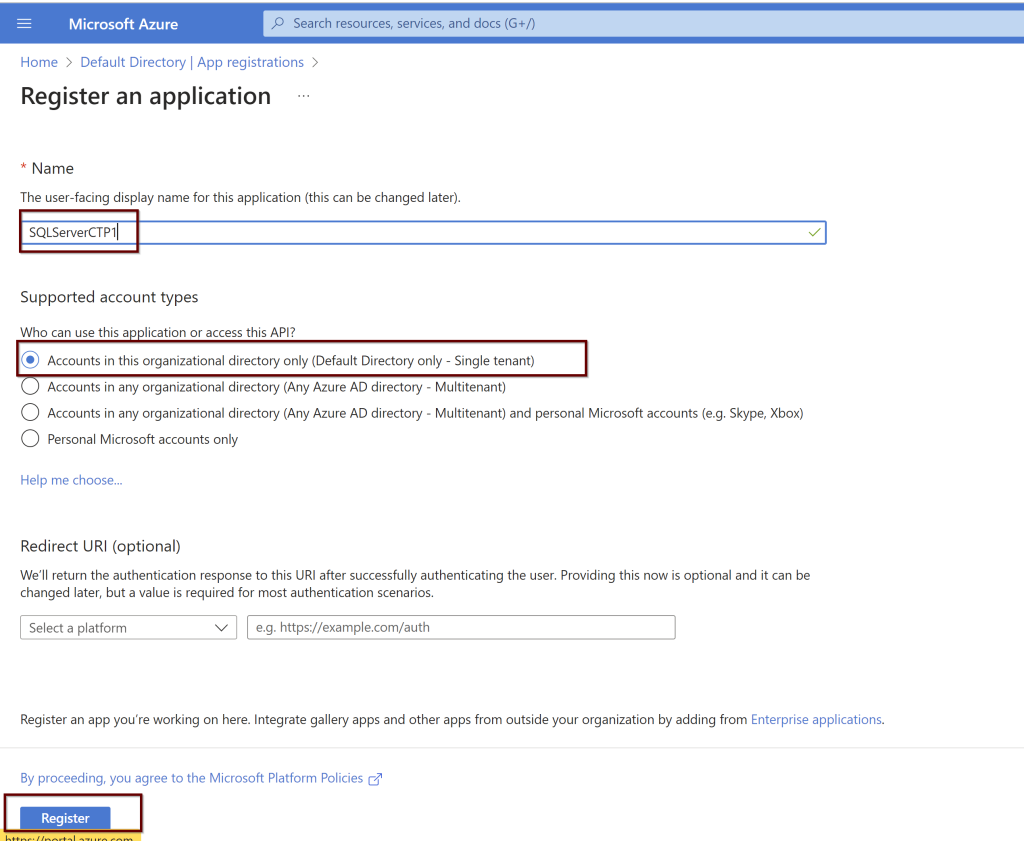
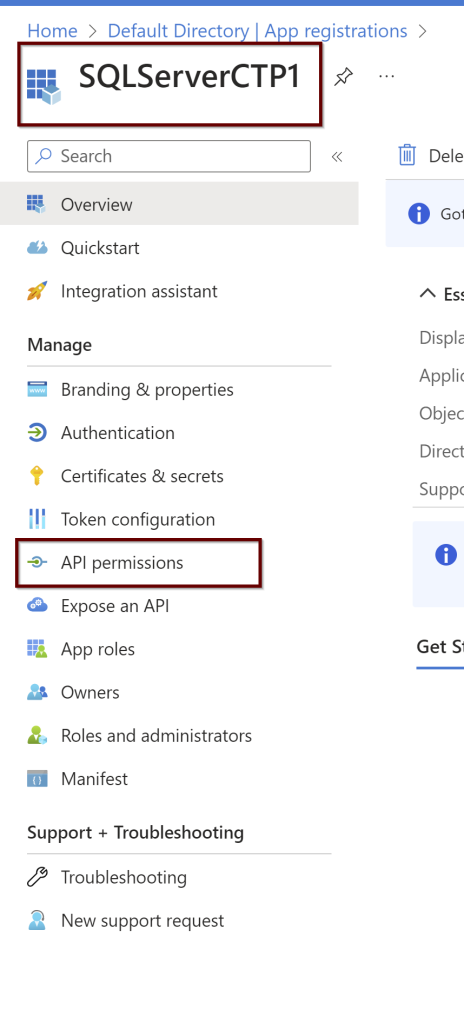
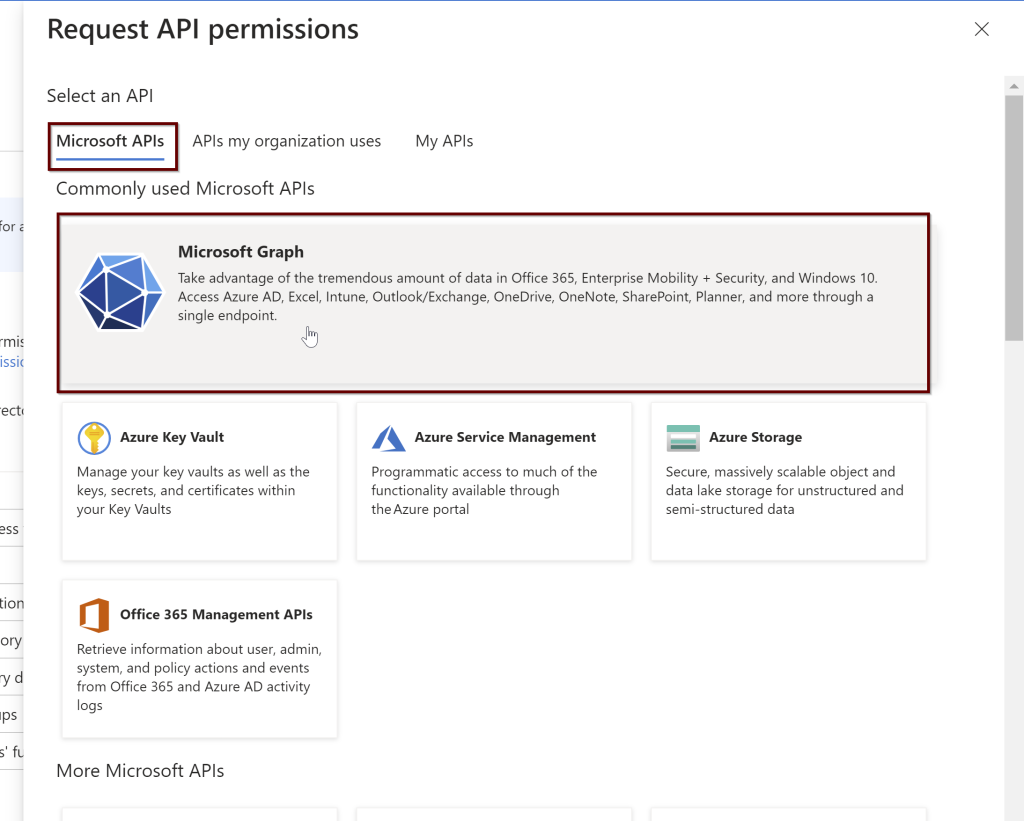
Microsoft.AzureArcData and Microsoft.HybridCompute – you can do the installation very easily by connecting to the specific subscription and under the settings >select resource providers and register these two providers.

Service Principal Permissions needed to install the Azure Arc-enabled SQL Server

  • Read permission to Subscription
  • Permissions to Azure resource group –
    • Azure Connected Machine Onboarding role
    • Microsoft.AzureArcData/register/action
    • Microsoft.HybridCompute/machines/extensions/read
    • Microsoft.HybridCompute/machines/extensions/write
  • If you are manually installing the agent or using the command line interface to install the agent, you need to have administrator permissions on the machine you would like to install. This can be a Windows or Linux machine.
  • In case of deploying at scale on multiple Servers – The service principal needs to have a User Access Administrator role to install the system-managed identity and Resource policy Contributor role assignment at the resource group level or at the subscription level.

To check for the limitations at the subscription or resource group limitations, please read this post here.

In the next blog post, we will learn how to install the Azure Arc-enabled SQL Server using the Azure portal so you can start to see all the Servers outside of Azure in the Azure portal which makes the management and identification of your inventory easy.

Resources:

  1. Prerequisites
  2. Azure Arc-enabled SQL Server

Thank you for reading!

T-SQL Tuesday #163 Invitation – Embrace Your Style!

Welcome back to reading another T-SQL Tuesday for June month. This month’s invite is from my dear friend Gethyn Ellis asking us to write about the best career advice we received. Here is the invite.

I would like to list some of the best advice I received in my life which helped me rethink life. They give me the strength to see past the pain and help me move forward in life.

Embrace your Style but wait, What is your Style?

This is the best career advice that I received from one of the best people in the community. I can’t thank them enough for this advice. This is about two years ago when I started my blogging and speaking career. As I was fairly new to speaking, I struggled to find out what my style was. Style in the sense of bringing your true authentic self onto the stage. Fear of being judged and accepted by the community stopped me from being who I am at the time. I didn’t even realize this for so long. I thought everything was normal but something inside me was always telling me that I was not good enough. Something needs to change but I didn’t know what it was until some special people from the community told me that I have my own style and it is just that I need to figure that out.

I was confused at the beginning about what this style even meant but as I tried to understand more, I finally realized what it actually mean. Your style is nothing but showing who you actually are, truly and authentically. Everyone will have their own style. In every little thing you do, you will have your own mark on it. The way you do things is your style. Are you doing your best but still feel you lack something? No matter what, the way you do things and the way you present can give a unique and add your perspective to it which in itself shows the beauty in the work you do, which is your style that no one else can do other than yourself. The moment I realized this, I started embracing the way I look and do the things in life. I added my perspective to the things I present which are unique and there will be people who love this or may not love this but you will have your own mark which will attract the right audiences to you. There are always people who wanted to learn from your perspective.

This applies to many things in my life including my blog posts, my presentations, the way I speak at conferences, and the way I act and think in life. I accepted who I am and started embracing the authenticity in me. I started speaking from the bottom of my heart. I was scared to do this before in fear of judgment but as I started speaking for what I felt, people actually started liking me even more because they saw the truth in what I speak. By choosing to live this way, we can make genuine connections in life and value the ones who stick around valuing who we are.

This is a great lesson I have learned in my life.

2. If you are troubled by external circumstances, it is not the circumstances that trouble you, but your own perception of them and they are within your power to change at any time. ~ Marcus Aurelius

In life, most of the things that happen to us are outside of our control. The problem gets bigger and bigger when you try to control what you can’t control. If we can only differentiate every event that happens to us into two categories, what is in our control and what is out of our control, most of the problems will be solved.

Focus on only what is in your control and leave the rest. Most of the time, what’s in your control is how you react to the events that happened to you. That’s the only thing that you can control. This is one of the Stoic philosophy principles that I learned recently.

3. Going within self is the only solution

What does this even mean, right? Most answers that you are searching for from outside of yourself are found within yourself. When you fail at something or you are facing a situation in life, for example, you want to resign from that job you are unhappy about but something inside you is stopping you from taking action – Going within yourself is the only solution to learn about yourself, what actually is stopping you and what can be done to remove that fear. Asking for help is a great idea when you are facing a situation in life but we need to first help and stand up for ourselves by examining ourselves what is the actual problem. Other people can suggest you but it is up to you to decide what is right for you.

I am not a philosopher to show off as if I identified something in life which was not there before. These are all the things I have been learning from the greatest philosophers in the history of mankind. I just thought of sharing them with you all as I felt it was the right time and topic for this month’s T-SQL Tuesday.

These all things I explained here apply to every part of life, professional and personal.

I would like to thank Gethyn for bringing this topic to June month of T-SQL Tuesday. I believe that I shared some of my learnings that really helped me in every aspect of my life.

Hope you liked it and thanks for reading!

Quick Track: Beginner’s Guide to Azure SQL- Auditing in Azure SQL

I know it’s been a while since I blogged. It’s been busy at work and I felt I had to take some time off. Firstly, I would like to apologize to the regular readers of this blog and I would like to thank some of them for remembering me and reaching out to me asking to write. Thanks for checking on how I was doing.

As a continuation of the Quick track series on beginner’s guide to Azure SQL, this post is about Auditing in Azure SQL.

As you all know how crucial it is to Audit activity on the Server for both prod and non-prod environments, turning on the auditing in Azure SQL is pretty simple and the results we see in the audit log are similar to the logs we see on-prem. The difference is where we save the audit data in Azure.

You can enable the auditing at the Server level and at the database level just like the way we can audit SQL Server on-prem. If you would like to enable audit at the Server level in Azure, it will automatically audit all the databases under that Server. If we allow the auditing at the server level (logical Server for Azure SQL Databases) and also at the database level, we might get double the amount of collected audit data as it contains the same data twice. Always chose the Storage account if you wanted to audit the data at the Server level. If you just want to collect the audit data on one or some databases only, you can disable the logical Server level audit and enable the Auditing at the database level.

If you want to specifically use a different storage method from the other audited databases or wanted to modify the default action policy groups to any specific databases, you can choose the database level auditing instead of the Server level auditing. By default, the login activity, queries, and stored procedures are audited.

The default audit policy for the Server and the Azure SQL databases includes

  1. BATCH_COMPLETED_GROUP
  2. SUCCESSFUL_DATABASE_AUTHENTICATION_GROUP
  3. FAILED_DATABASE_AUTHENTICATION_GROUP

To enable the Auditing at the logical Server level- Go to the auditing blade on the left under the logical Server> Enable SQL Server Auditing> turn on.

Chose the audit log destination among the storage/Log analytics/Event Hub. You need to select the subscription and provide the log analytics workspace. If you already have one, select it or create one right here if you do not have one. If you need any kind of support from the Microsoft support team in the future, make sure to enable the option “Enable Auditing of Microsoft support operations” so they can have access to your logs when they work with you.

If you are choosing Server level auditing, then select the storage as destination and you will have to choose the authentication type: Managed identity (system-assigned and user-assigned managed identity is supported as per Microsoft). You can choose the retention period here as well. 0 represents unlimited retention. Changes made to the retention period will only effect the future collection of the Audit data. Any collected information while it was set to unlimited will be always retained.

To specifically enable the auditing at the database level, go to the database and select the auditing blade on the left side> Enable Azure SQL Auditing> Turn on

To view the audit logs of the database>go to the auditing blade on the left side>click auditing>click on view audit logs.

You can see the audit logs of the database. You will see the query where you can edit and filter the results.

If you would like to modify or view the audit policy through Powershell, there are some command lets you can use.  Source: Microsoft

Get-AzSqlServerAudit – Will give the Server level audit policy

Set-AzSqlServerAudit  – You can create or modify the Server audit policy

Remove-AzSqlServerAudit  – use to remove Server audit policy 

Get-AzSqlDatabaseAudit – Will give the database-level audit policy

Set-AzSqlDatabaseAudit  – You can create or modify the database audit policy

Remove-AzSqlDatabaseAudit – use to remove the database audit policy 

Here is an interesting question asked by a user on how to filter out specific login as it causes a huge amount of data. You can find the resolution here.

You can also check the audit logs from the home blade>monitor>logs. You can see the same audit information here.

For more examples on how to add or modify the auditing policy, here is the article from Microsoft you can follow.

Hope this blog post gave you an overview of auditing in Azure SQL.

Thanks for reading!
T-SQL Tuesday #159 – Wrap Up

By the way, What is New Year Resolution?

I am overwhelmed with gratitude by looking at the number of responses we received for my February month of T-SQL Tuesday invitation. Surely, I see so much interest and curiosity for the newly available features in Azure SQL and SQL Server 2022. Not to mention, for the new year resolutions too 😉

Welcome to all the new T-SQL Tuesday Bloggers! You are surely expanding the blogging party!

I had a great honor on hosting February month of T-SQL Tuesday 2023! Please check here for the original invite.

I had great responses to this invitation and some of them were the first timers to write the post for T-SQL Tuesday. Please see for the summary on the posts written by SQL family.

Chris Wood

Chris mentioned about how executing the view having nested views in it will impact the performance but how the new CE has improved the performance of the query a bit but with the higher estimated number of rows in SQL Server 2019 CU16. Chris was curious to know if the SQL Server 2022 latest features DOP and CE feedback options can fix the nested view performance as these features eventually add hints to the execution plan for later executions. Read the complete post by Chris Wood here.

Rob Farley

Rob explains why ‘IS [NOT] DISTINCT FROM’ is one of his favorite functionality as it solves the NULL issue. Rob says it is better to type ‘IS [NOT] DISTINCT FROM’ than dealing with the ISNULL() with amazing examples and how the indexes are used with ‘IS [NOT] DISTINCT FROM’ in the queries and for better performance of the queries. Check for the complete post here.

Rob Litjens

Rob’s favorite Azure features are Purview, Synapse integration, connecting on-prem servers to the managed instance through distributed Availability Groups. Rob mentions with SQL Server 2022 creating AG in managed instance and how you can fail back to on-prem.

Regarding the resolutions, Rob wanted to be involved more into speaking engagements and he is looking for the organizers to contact him if they are looking for ay of these topics related to platform DBA (like Group Managed Service Accounts, Automated Deployments, Desired State, Ansible, Defender for SQL, etc.). Find all of his new year fun resolutions here.

Brian Bønk

Brian describes about the Optimized Locking feature for Azure SQL Database. He explains the advantage of how only the actual rows that are being used are locked instead of many exclusive locks placed during the transactions. Brian explains the benefits with an example helping the data warehouse scenario and where this feature is currently available based on the locations.

Brain says his new resolutions for this year includes more physical exercises, meditation and being up to date with the Data platform news. Great resolutions, Brian!

Don’t forget to check some of his favorite apps he uses as the reminder for meditation Headspace and Feedly to follow the latest RSS feeds from the Microsoft Data platform. Check for the complete post here.

Magdalena Bronowska

Magda favorite new/updated T-SQL functions are DATETRUNC(), LEAST() & GREATEST(), STRING_SPLIT() with examples. Please see the complete post here with examples.

Magda loves spontaneity than planning for resolutions. She have few resolutions for this year though. Magda resolutions are to take Microsoft Certifications and Workout Wednesday, which is new to me. Read more about it here in her post.

Kay Sauter

Kay favorite feature is STRING_SPLIT() function and the second feature he liked about is the failover an on prem SQL Server 2022 into Azure Managed Instance.

Kay’s resolutions is to blog more and to present more at the conferences in person. Kay is looking forward to the second edition of the DATA BASH. Please look at the full post of Kay here.

Kevin Chant

Kevin explains and did a lot of blogging about the feature Azure Synapse Link for SQL Server 2022 already. He did the file test inserting one hundred million rows while Azure Synapse link for SQL Server 2022 is running. He have explained in this post about the file test. He also provided the GitHub repo for the same.

Kevin resolutions this year is all about certifications. He wanted to take more certifications, renew the existing ones and most importantly, this community super hero wanted to educate people about certifications through his blog posts. Look for the complete blog post here. Keep going, Kevin!

Deborah Melkin

Deborah explains about how the DOP configuration settings are important and how it is not always possible to change these settings due to many limitations like client handling the hardware. In SQL Server 2022, the engine will automatically look for the efficient ways to use the MAXDOP and stabilize the DOP for queries as needed. You can read Deborah full post here.

Deborah mentions that she is looking forward to getting some projects with all of us. This is her year resolution. I am really looking forward to this Deborah.

Reitse Eskens

Reitse favorite feature is Synapse Link and how the On-prem SQL Server 2022 can connect to Azure synapse and how the data changes can automatically be captured by synapse and propagate to the cloud data stores in Azure.

Reitse handles the notifications through parking page. He also mentioned the importance of mental health and how the community members can help each other and he advises to reach out to the employer for any help needed. He suggests to attend as many mental health events as possible. You can find the complete post of Reitse here.

Chris Johnson

Chris mentioned that the last post he have written was TSQLTuesday #138 and my invite has bought an interest in writing the post again. Thanks for taking your time Chris in writing this post. Chris is looking forward to learn about the new features in SQL Server 2022 in the coming months and is really excited to learn more about the latest features.

I am very much impressed on how much Chris is willing to work on his personal development. You can read the list of the things Chris wants to accomplish in this year. Great list Chris. Good luck on your goals. Don’t miss reading the Chris working list for this year here.

Jiri Dolezalek

This is the first ever T-SQL Tuesday post from Jiri. Welcome to the party, Jiri. Jiri wrote about my favorite feature, Query Store and looking forward to know how the Parameter Sensitive Plan optimization works.

Jiri believes in the consistency in doing any tasks and doesn’t like resolutions. Jiri says if you wanted to do anything, there is no specific time and place to get started. It can be any day and any time to make the necessary change and improve. Find the full post of Jiri here.

Andy Yun

Andy had attended the private SQL Server 2022 workshop taught by Bob Ward few weeks ago and as Bob Ward presented the last slide showing Purvi’s list, Andy was impressed with the feature added- Instant File Initialization (IFI) for Transaction Logs. Know about this feature in his full post here. Thanks Andy for sharing your learnings.

Chad Callihan

Chad favorite feature is optimized plan forcing by Query Store feature. Chad mentions that this feature optimized plan forcing is on by default for any databases created on SQL Server 2022 and shows how to configure it using T-SQL.

Regarding the resolutions, Chad wanted to more focus on reading the technical books this year. For anyone who have hard time getting up early in the morning, Chad recommends Sunrise Alarm Clock. Great recommendation Chad. This will help people like me who have hard time waking up early in the mornings.

I learned something new today as I read all of these amazing blog posts from SQL Family. I learned that most of them doesn’t embrace the idea of so called “new year resolutions” but they believe setting the goal and working for the goal consistently is the best way to look at it. Doesn’t matter what time you set a goal and when you get it started, working for it is important.

Hope you enjoyed reading the learnings from the SQL family members about their favorite features in Azure SQL and SQL Server 2022. Also, the new year resolution ideas!

Thanks for reading!

T-SQL Tuesday #159 – What’s Your New Favorite Feature? by Chris Wood

This below post is written and authored by my dear friend Chris Wood. I am very happy to post his writings here on my blog. Credits of this post all goes to Chris Wood. I am just publishing it here.

Thanks to Deepthi Goguri for the idea behind this edition of T-SQL Tuesday. The official title is “What’s your new favorite feature”

When I saw the topic, I just knew I needed to tell others about a situation I had experienced. I don’t blog and I’m now retired but I would like others to understand my experience. 

In my last gig I experienced several situations that used nested views. This approach may make some situations easier as you get to call one piece of already written code rather possibly copy in bad code. On the downside is performance. We were running SQL2019 at the CU16 security fix build with the databases at 2016 DB compatibility level and the Legacy CE set to ON. When a query was executed that went down 3 or 4 levels of nested views it would take a long time to actually create the execution plan and start returning rows. If I changed to the newest CE rows get returned much quicker but the estimated number of rows to be returned is higher with a small performance improvement. 

So my most looked for feature would actually be 2 new features. SQL 2022 brings both DOP and CE feedback options that can eventually add hints to the execution plan for later executions. I had seen Grant Fritchey mentioned Cardinality Feedback recently Monitor Cardinality Feedback in SQL Server 2022 – Grant Fritchey (scarydba.com) 

Both of these are controlled by running at the compat level of 160 and by using ALTER DATABASE SCOPED CONFIGURATION options. The options are SET DOP_FEEDBACK = ON and SET CE_FEEDBACK = ON. The CE feedback can also be affected by the query having a coded hint or a query store hint or the execution plan is forced.  

I am reading this from Grant’s Sixth Edition of his SQL Server 2022 Query Performance Tuning and checking against Databases – SQL Server | Microsoft Learn 

As I mentioned earlier I am now retired, this happened just after SQL 2022 RTM was released so I have no idea what could happen with the nested views. 

Chris

Quick Track: Beginner’s Guide to Azure SQL- Azure Defender and Threat Protection

Source: Pexels

Azure Defender for SQL, once you enable it will alert you for any SQL injection attacks, brute force attacks or any breached identities trying to access the data of your database. It also provides the vulnerability assessments. Vulnerability assessments give you alerts about the configurations of your database. If your database configuration is not following the standards of Azure, you will receive the alerts in the vulnerability assessment report.

You can enable the Azure Defender at the subscription level or at the Server level or at the resource level as well. Under the recommendations in the security center in the Azure portal, check for the Remediate security configuration. This will show if the Azure defender is configured properly.

Azure defender for SQL consists of two features – Advanced Threat Protection and Vulnerability Assessment.

Advanced Threat Protection

Threat protection will send the alerts if there is any malicious activity going on against your database. You will receive alerts if there are any SQL injection attacks, any suspicious login attempts from new locations.

Vulnerability Assessment

Vulnerability assessment will check for the security misconfigurations based on the Azure standards. It will provide a baseline based on the standards which you can later accept and add these baselines based upon your environment. It will also provide the actionable steps to take and remediate the alert.

Azure defender supports Azure environments and also hybrid environments. For the complete list of where the Azure defender is supported, please check the Microsoft article here.

You can view all the defender collected information in the centralized view at Azure Security Center.

Vulnerability assessment requires the storage account for the PaaS service. This can be setup at the logical SQL Server level. For the IaaS service, you don’t have to specify the storage account separately.

Once you turn on the Azure Defender, we need to give sometime to collect the information and scan the system for any vulnerabilities. At the server level, Go to the Microsoft Defender for Cloud. You can also open at the resource level as well.

To view the details, click on the additional recommendations.

You can also see the recommendations from the resource level as well. Click on the Microsoft defender for cloud from the database level.

Scroll down to see the details

Let’s see the example of the first vulnerability assessment finding. The security check shows Database owners are as expected. Click on the finding to see more details.

You can either look into the details and add the recommendations to the baseline or ignore. This is completely based on your needs and your current environment.

Azure Sentinel

Azure sentinel will help in identifying the security incidents that we need to investigate. You need to create a log analytics workspace to add to Azure sentinel. Multiple data connectors can be used to connect and collect the information from these different connectors and analyze the data for the security incidents.

You can use different dashboards to view the collected data and alerts. For example, you can use the audit logs dashboard to view more details on the alerts. You can setup the alerts for the events. You can also create the playbooks to automate the response to specific alerts using the logic apps.

Learn how to setup the Azure Sentinel here.

In the next blog post, we will learn about the Auditing in Azure SQL.

References

  1. Overview of Microsoft Defender for Azure SQL
  2. Azure Defender for SQL

Thanks for reading!

Quick Track: Beginner’s Guide to Azure SQL- Data Protection

Source: Pexels

Data needs to be protected no matter where it lives, On-prem or in Azure. Data can be protected by using the encryption that Azure provides. What are the types of encryption we have in Azure?

Encryption in Transit: The data needs to be protected as it moves all the way from the database to the client application and vice-versa. The encryption is always by default enforced by TLS (Transport Layer Security). Making sure your application supports the TLS version you choose on your server is important. If for example, you chose the TLS version 1.2 on your server and your client application only supports the 1.2 TLS version, your application cannot connect to the server.

As a best practice from Microsoft, client applications should have the encryption enabled on their connection string and not trust the Server certificate.

Encryption-at-rest: Data at rest on the disks- which includes the data files, log files and backup files. These are encrypted with the technology called Transparent Data Encryption.

This option is enabled by default as well. As the data is moved in and out of the drives, the data is being protected through the transparent data encryption. By default, Microsoft is going to manage the keys known as Microsoft-managed keys but also you can choose bring your own keys (BYOK). In the default option Microsoft-managed keys, the responsibility of the key generation, key rotation and the management of these keys are taken care by the Microsoft. All these keys need to be stored in the Key vault which is a Microsoft product. In the second option BYOK, the customer is responsible for the management of the keys including the key generation, key access to the users and key rotation. The third option we have is Hold your own key (HYOK) which is a IaaS offering only where the key generation including the key management and storing the keys is totally taken care by the customer.

Double layer of encryption is where you can chose the TDE along with the infrastructure encryption (volume encryption). This is an additional layer of security for your data on disk. The second layer Infrastructure encryption is optional choice.

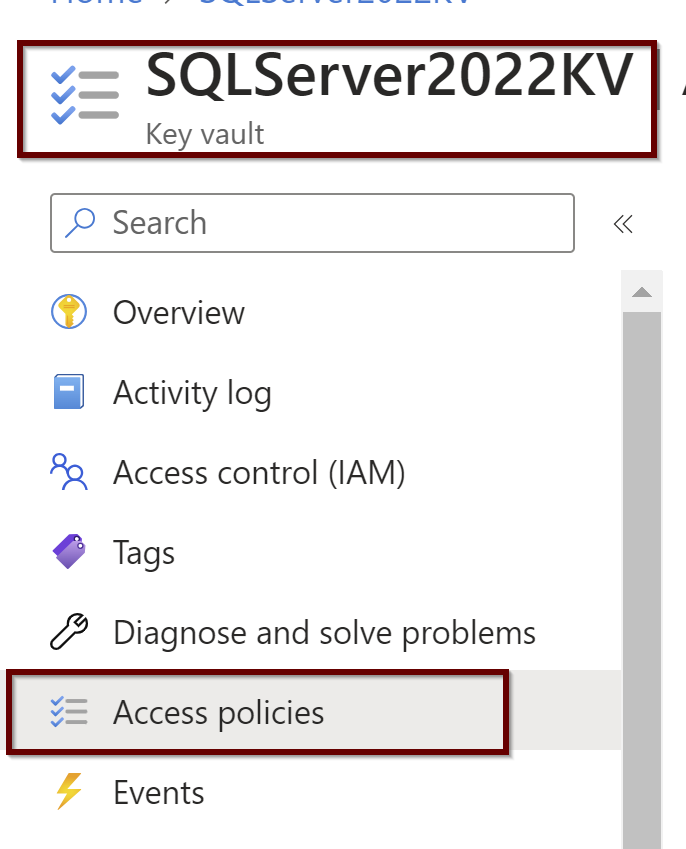
In the case of customer managed key, the server identity should have the access to the key vault. So, when the server wants to encrypt and decrypt the data on the drive, it will use this key. The first step to create the customer managed key is to create the Key Vault if you do not already have one.

Once you created the Key vault, choose the customer managed key. To select a key, first we need to create a key that is saved in the key vault. Here I have created two keys.

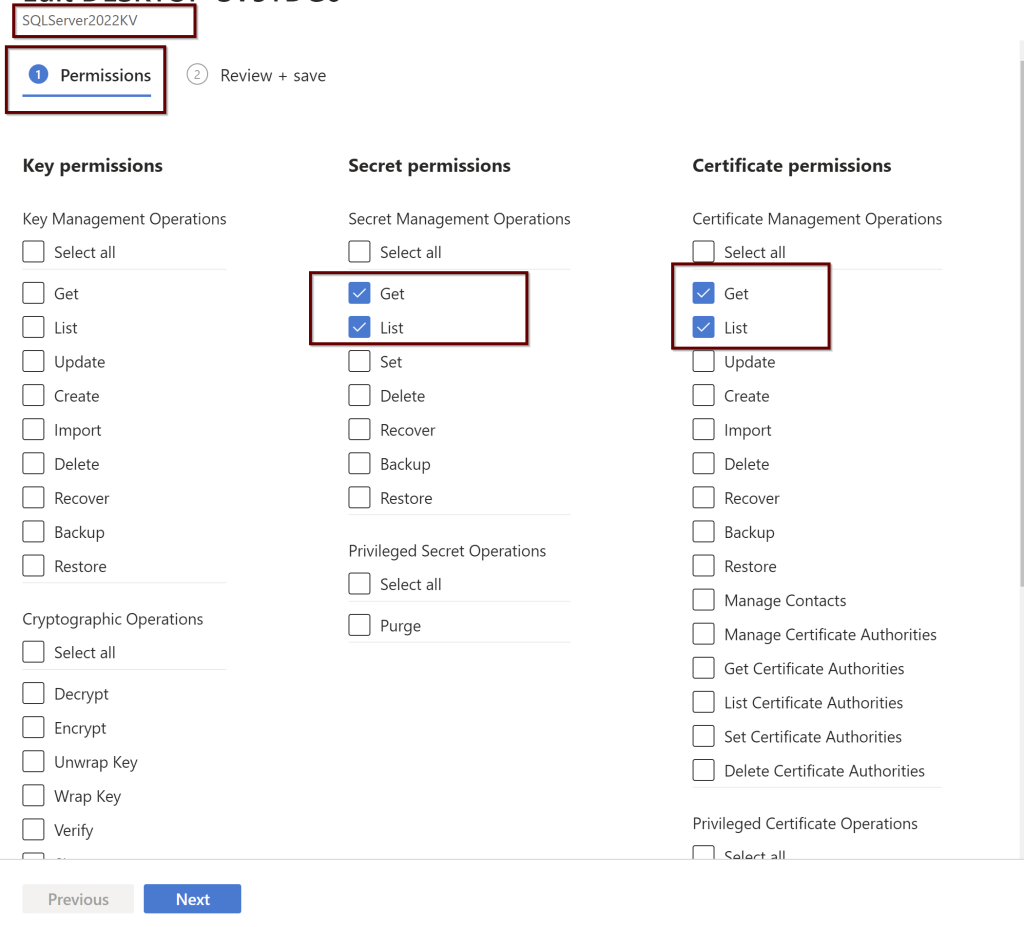
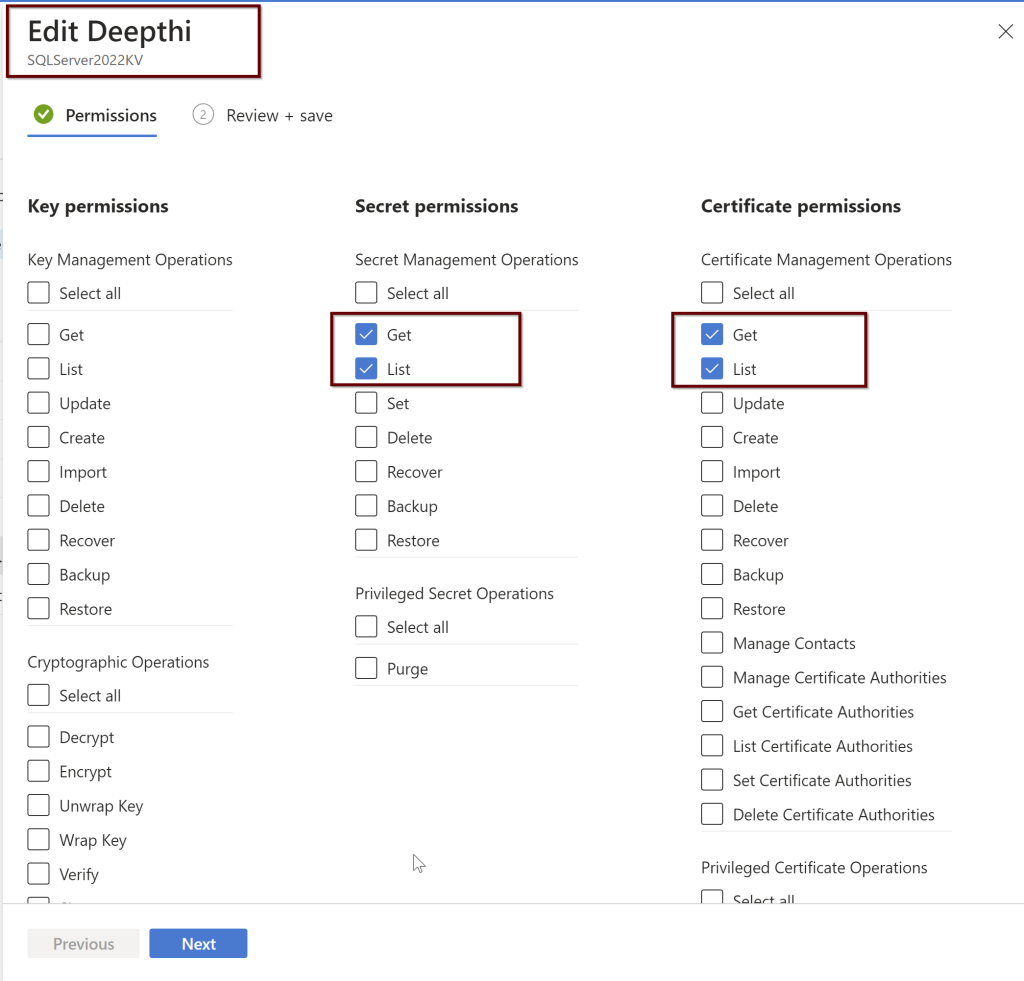
Then go to the access policies on the Key vault and give the server (Securitydemo) enough permissions to access the key. That requires Wrap and unwrap permissions.

Now go to the transparent data encryption and choose the key by clicking on the Select a key and then click on change key.

Choose the key you have created and click on select

Once you select the key, click on Save on the transparent data encryption page.

Encryption-in-use: It encrypts the data during the query processing and the technology used is always encrypted. This is the client side encryption technology. Cryptographic keys that are used to encrypt and decrypt the data are never shared with anyone. The SQL client driver in between the client application and the database will serve as the mediator to encrypt and decrypt the data as the data moves in and out of the database. Initially only the equality searches were only supported but to add more functionality in supporting the range queries, pattern matching, sorting, indexing and more operations, a new technology is being introduced in SQL Server 2019 known as Secure Enclaves.

Secure Enclave is a part of memory in the SQL Server that no one can access and this part of memory is used to process the computational operations involving the sensitive encrypted column. In this part of the memory, the secure enclave will have the data which is decrypted safely and queries can be processed here.

How do we know that the Secure enclave is secure to process the sensitive data? There is a service known as Microsoft Azure attestation which will check if the secure enclave is safe and process the queries. By using the Secure Enclaves, even the windows administrators or DBA’s cannot access the sensitive data on always encrypted columns.

Dynamic Data Masking

Dynamic Data masking is a protection of the data from the application users who should not have access to specific information. This is not the encryption where the files are encrypted.

This is limiting the access to the data where the data is masked on the fly when the data is moved from the database to the application. As the data reaches to the application, only the needed information needs to be shown to the application users. You can use the custom built functions or create the custom functions to mask the data.

Ledger

Ledger is a technology which uses blockchain technology to protect the data tampering from the privileged users who have access to the sensitive data. This involves the ledger tables built in as you enable this feature on the database.

Updatable ledger tables allow to capture the data of updates and deletes. The updated rows will be stored in the history tables. The database digests using the block chain technology is saved in the trusted Azure storage where database digests are used to verify the database whether the data in it is being tampered.

Because the Ledger captures all the changes happening to the data in the database and if the tampering happens through application, these changes can be also be identified through the ledger views. This is one of the great features in Azure in protecting the data.

This blog post covered multiple data protection technologies available in Azure. In upcoming blog post, we will learn about the next security layer Threat prevention and detection.

Thanks for reading!

References:

Azure SQL Security: Data Protection

T-SQL Tuesday #159 Invitation – What’s Your New Favorite Feature?

T-SQL Tuesday with the famous Hashtag on twitter as #tsql2sday is all about sharing your experiences on a specific topic requested through invitation from one of the SQL family members every month of the year, encouraging SQL bloggers every month to participate in this blog post party.

Readers do enjoy reading different perspectives and experiences from SQL family members and learning the quick bits of knowledge. I encourage everyone reading this post to participate in this T-SQL Tuesday Party!

This month, I am inviting everyone to blog about two topics:

  1. Blog about your new favorite feature in SQL Server 2022 or in Azure. Why is it your favorite feature and what are your experiences and learnings from exploring this feature? If you have not explored these new features yet, No worries! Blog about the features you feel interested in exploring.
  2. New year, New Resolutions. What are your new year resolutions and how do you keep the discipline doing it day after day? Here are some examples: new hobby, plan to spend more time doing physical activity, wanted to read list of books (Please mention the names so it may also inspire others to read those books), journaling or any other resolutions you plan for this year.

Here are my answers to above questions:

  1. I am looking forward to learn about my favorite feature Query Store and its advancements in the SQL Server 2022. Query Store feature now supports the read only replicas from availability groups. The other advancement in Query Store is Query Store hints. I have written a blog post about it here. The other new feature is the parameter sensitive plan optimization where multiple plans are stores in plan cache for a single stored procedure reducing the parameter sniffing problems.
  2. This year, my resolution is to include exercise to my daily routine and reading David Goggin’s book all over again “Can’t Hurt me” before I begin to read his second book “Never finished”. It is getting harder to keep the exercise discipline. I had my gaps but I know I will get into the track again. I believe it is all about doing your best when you feel the worst. I am looking forward to listen to your resolutions and your discipline in following them day in and day out.

If you are looking for the latest features in SQL Server 2022, follow this series of videos by Bob Ward and Anna Hoffman explaining the new capabilities and features for SQL Server 2022. For new features in Azure, please check Azure SQL updates here and general overall Azure updates here.

Some of the Rules as you participate in the T-SQL Tuesday:

  • Your post must be published between 00:00:00 UTC and 23:59:59 UTC on Tuesday, February 14th. Remember to only publish on February 14th for February month of T-SQL Tuesday.
  • Include the T-SQL Tuesday logo at the top of your post and link your post back to this blog post. You can do this as a comment on this post.
  • If you’re on Twitter, tweet your post using the #tsql2sday.

Feel free to share as much as you can. I am looking forward to reading all your learnings and interests.

Thanks for reading!

Quick Track: Beginner’s Guide to Azure SQL- Authentication and Access Management

Picture by George Becker

Authentication and Authorization are the two things that we need to get familiar with when we learn about the Access management.

Authentication is proving that we are the same user who we say we are. Below are the authentication methods available in Azure.

SQL Authentication: Azure SQL Database and for the Managed instance (MI) supports SQL authentication. This is just like any regular SQL Authentication account with username and the password. When you create the server, you will need to create the SQL authentication account which will become the server admin that will have database owner on all the databases. This account can create other SQL authentication accounts on the server as well.

Azure Active Directory: There is a centralized location for the identities and permissions to database users to be stored for the Azure active directory authentication. As the password is only stored at one location, it becomes easier for the administrators to manage the identities and for maintaining the passwords. This authentication is supported for Azure SQL database, Managed instance (MI) and Azure synapse analytics. The Active directory admin will become the server admin where to create other AD logins, only the Active directory admin can create the other AD accounts having permissions to Azure SQL database. Multi factor authentication option is available for this option. Authentication app can be used as the multi factor authentication where it provides phone call/text message/authentication app to confirm the identity. This authentication type will use the contained database users to connect to the database to access the database objects.

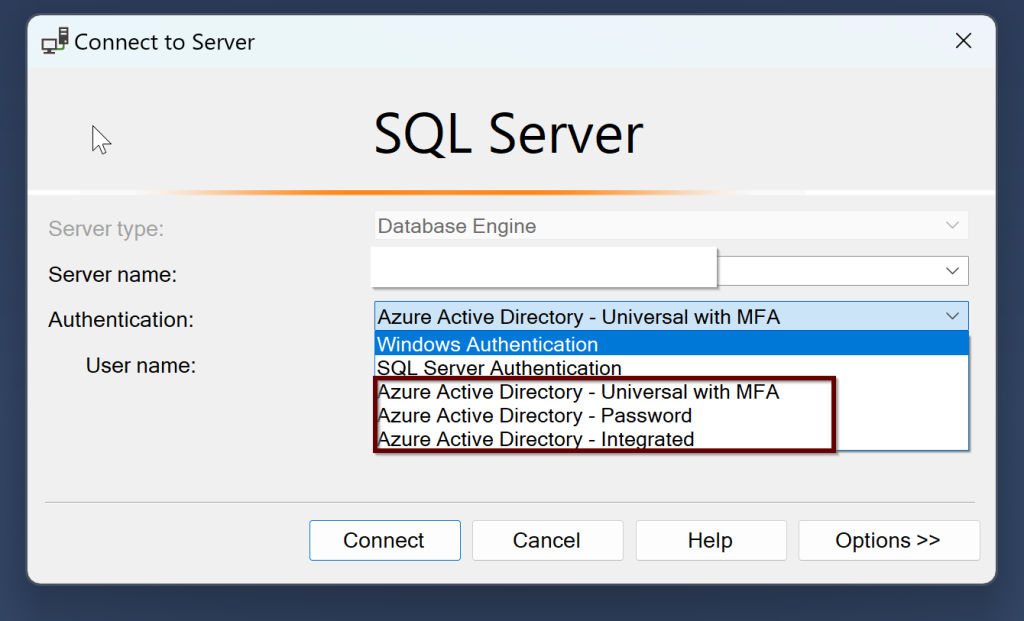
Active directory will support the users with the login id and password, Integrated (single sign-on) authentication used when there is a trust built between the Active directory and the Azure AD using windows authentication. Universal/interactive with multi factor authentication is where the password is generated dynamically. There is a token authentication where a token is generated from Azure AD and as we pass this token to the SQL. Source: here.

One of the important point to remember is, the Azure active directory admin has to create the Azure active directory login. SQL authentication logins cannot be created by Azure AD logins. The other type of users that the Azure AD supports are individual user accounts, group accounts, service principles.

To create the Azure AD account, you can create the account by running on virtual master database. please see sample code to create Azure AD login here.

Lets learn a bit about the differences in the logins and users in between the managed instance and Azure SQL database

Managed Instance: You can create the Azure AD server admin along with the SQL server admin. You can create the SQL logins even when you only enable Azure AD only authentication but you cant connect until you enable the SQL authentication. You can create the SQL or the Azure AD logins, Database users and database contained users. You can also create the Server trust group for the distribution transaction scenarios between the two instances.

Azure SQL Database: You can create the Azure AD Server admin along with SQL logins. Additionally you can have roles like loginmanager and dbmanager for limited server admins. You can create the users associated with the SQL logins, create contained users including Azure AD. To create these contained users, the user must be login using the Azure AD server admin.

There are two configuration options for the authentication:

Cloud only option- where you can create the AD azure accounts with out having them connected to the on-prem servers or you can federate services with single sign-in option, Azure AD storing password as a Hash and Azure SQL passthrough with single sign-on is where the password stored in on-prem.

Azure SQL Authentication supports Azure AD authentication or SQL authentication or Azure AD only authentication (disables the SQL authentication automatically).

Azure Role-Based Access control (RBAC) is what can and cannot be done as a user. We have built in roles in azure where we can assign access to the users and groups permissions all the way from the subscription to the individual resource groups and resources. These permissions can be applied to each level of the hierarchy of resources.

There are three RBAC built in roles that we need to remember:

Owner: Owner can do everything and assign other users as well.

Contributor: Can only modify but cant assign other userd

Reader: Can only read the assigned resource

Custom roles can also be created. Once these roles are created, you can assign the users to these groups.

For the SQL permissions, you can use the built in roles or the custom roles making sure you give the least privileges needed. To provide the least privileges, for the azure SQL database the AD user will be assigned to the database user which will have permissions to the database role connecting to the database. With the Azure SQL managed instance, the login at the server level will be associated and connected to the database user which is assigned to the database roles.

The other important thing to remember is that when the owner of the tables and the views objects are the same, we can only grant the user permissions to access the views instead of granting the permissions to tables for security reasons but the user can now access the tables through the views without having to have the access to the tables. This is called Ownership chaining.

Row level security: Securing the data by only providing access to the rows that the users are allowed to see. This comes under the least privilege access as well.

In order to implement the row level security, we need to create the SQL object known as security policy which is assigned to the table where it will filter the rows and provide only the information that is allowed to share.

I did not show any code examples here in this post because we already have several resources in place showing the examples of how to create the logins and users. Please check here and here

In the coming blog post, I will be writing about threat protection.

Thanks for reading!

Resources:

Azure SQL Security: Understanding Access and Authentication (Ep. 2) | Data Exposed

Quick Track: Beginner’s Guide to Azure SQL- Network Security Concepts

Let’s learn a bit about Security in this post.

Securing something you built is as important as creating it. Any resource that you create needs to have in depth layers of protection to save it from the bad eyes.

Let’s take the analogy of the Bank systems where you save your money and other valuables. Starting from the parking lot of the bank till the door of the bank vault where the actual money is stored, there is multi layer of security. Cameras, digital locks, padlocks and more locks to reach the money. This is in depth security system. Breaking any layer can only result in more effort to crack an another layer which is even more difficult.

Same goes with the Data. No matter you are on-prem or in the cloud, Data needs to be protected and there are no exceptions.

Securing data in Azure is an important part and there are different security layers available in Azure. Below diagram shows you the different layers of Security we have in Azure to reach the customer data.

In this post, let’s focus on the Network security.

Source: https://docs.microsoft.com/en-us/azure/azure-sql/database/security-overview?view=azuresql

Network Security

The below table will give an idea about different Network security options available and the differences among them.

Allow Access to Azure ServicesFirewall rulesVirtual network rulesPrivate link
Least secureSecure with firewallPrivate IP address of the Azure VMMost secure
Anything in Azure can connectServices with added Firewall rules can connectAny resource in that VN can access Azure SQLBlock all public access
Outside of Azure cannot connectAllow on-prem connectionsApply virtual network technologies to connect on-premPrivate IP address within a specific virtual network
Public IP addressPublic IP addressPrivate IP address within the VNPrivate IP address
DNS hierarchy is publicDNS hierarchy is public (region, cr)DNS hierarchy is still public (region, cr)DNS hierarchy shows private endpoint

In any specific region you have hosting the Azure SQL Databases, your client can connect to Azure SQL database using the Gateways having the public ip addresses. Gateways are the intermediate layer in between the Azure SQL database and the client. Client can connect to Azure SQL database through these gateways in two ways.

Proxy: We can understand this by simple analogy. You want to visit your friend’s apartment frequently but at the security gate, the watch man asks you several questions where you need to prove your authenticity to enter into your friend’s home every time you want to visit him. That is the proxy mode. Here, the DNS will resolve from one of the multiple gateways through port 1433. Each time the client want to connect, the gateway will act as a proxy in between to connect to the database. Proxy mode is the default mode and if you are trying to connect from outside Azure.

Redirection: You want to visit your friend’s apartment frequently and this time, you will receive additional key to the apartment at the entrance as you prove your authentication. Once you receive the key, you can directly go to the apartment with out any intermediate layer of security check at the gate. In the redirection mode, a redirect token is assigned when the client connects to the gateway and all the connections made to the database next doesn’t have to pass through the gateway. The redirect token contains the ip address of the database and the port in between the range 11000 to 11999. Redirection mode is default if you are trying to connect to the database within azure.

These gateways are known as data slices when they are logically grouped together. These data slices are used for the load balancing.

Let’s learn about each of the network security layer:

1. Allow access to Azure Services: Anything in azure can connect to your database if you enable this option. Any azure resource from any subscription and from any region. On-prem Servers cannot connect using this option. This option is a kind of the firewall rules where the start and end ip addresses were all zeros.

2. Firewall rules: These are the firewall rules that you create like any other on-prem Servers. By adding the client ip addresses here in the firewall rules, the client can connect to the Azure SQL database. On-prem servers can connect to Azure by using this option.

3. Virtual network rules: Clients from the specific virtual network subnets can connect to the Azure SQL through the private IP address.

4. Private Link: Private link is creating a private ip address from the virtual network which can connect to your database privately. Internet will be disconnected here. To create a private endpoint, we need to know what resource type you are creating the private endpoint for. It can be Azure SQL Database or the storage account, then on which virtual network and subnet we are going to create this endpoint.

Here is the youtube link you can follow to create a Private link for your database.

In the next article, we will be learning about the next security later, Access Management.

Thanks for reading!